Agent Setup
Manage driver updates and VM settings after installing the agent.
Tip
You can change agent-related settings such as reinstalling the graphics driver and deleting VMs from the agent settings menu.
How to Access Agent Settings
- Run the agent program.
- Click the Setting button on the agent screen.
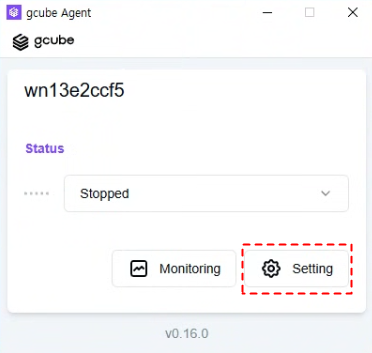
- Modify the desired items on the settings screen.
Configurable Items
| Item | Description |
|---|---|
| Reinstall Graphics Driver | Reinstalls the NVIDIA driver when there is an issue. |
| Delete VM | Deletes the registered virtual machine (VM) information. |
Warning
Deleting a VM will reset all configuration information for that VM. Make sure to confirm before deleting.