Check Sharing Info
Check the specs, status, and earnings of your shared GPU.
Tip
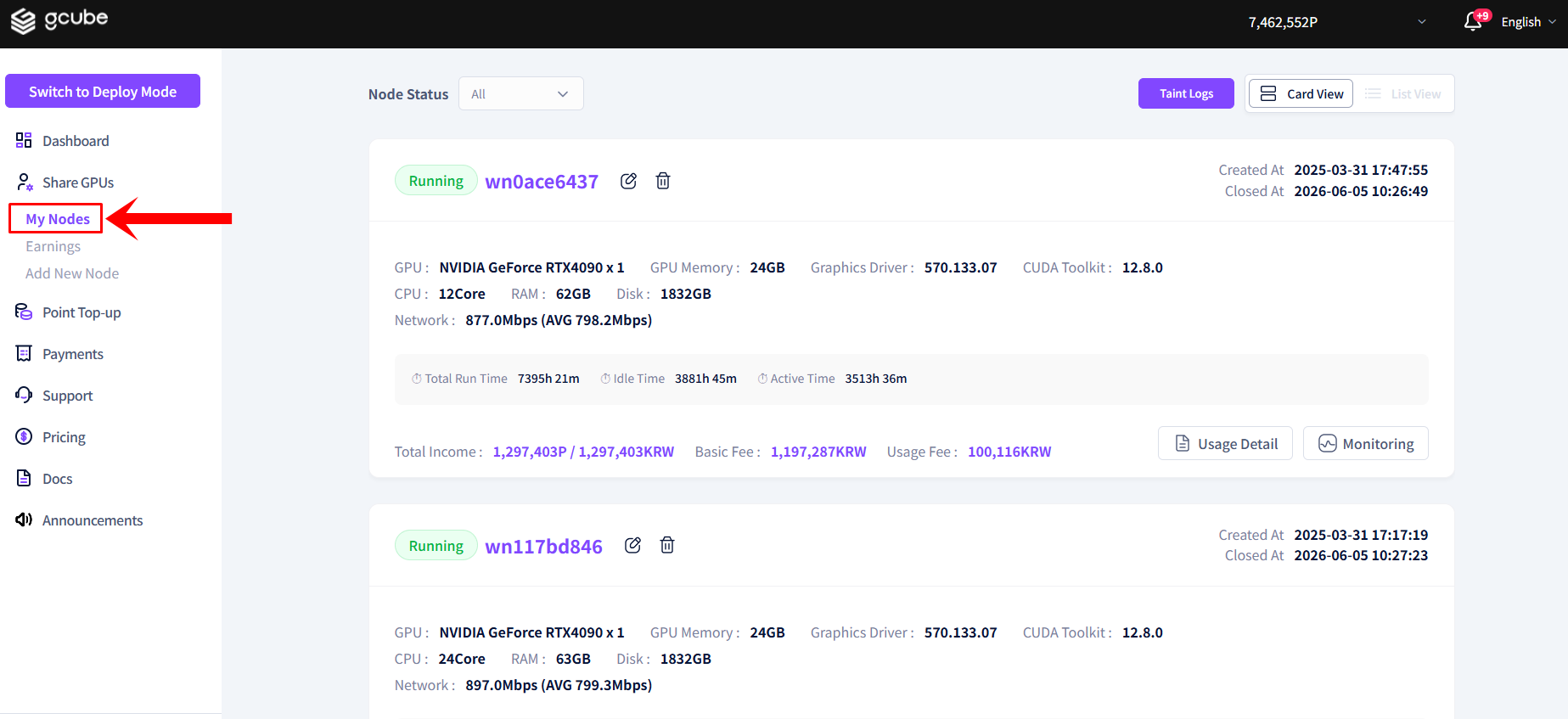
You can view detailed information for each shared GPU device at a glance on the node screen.
Available Information
| Item | Description |
|---|---|
| Node Name & Running Status | Whether the node is currently sharing (running) or stopped |
| GPU Specs | GPU model name, VRAM, and other hardware specs |
| Device Specs | CPU, memory, and other system specs |
| Running Time | Cumulative running time of the current sharing session |
| Earnings Info | Total earnings, base fee, and usage fee |
| Last Updated | Timestamp of the last status update |
How to Check Sharing Info
- Go to the node list screen from the left menu in Share Mode.
- If you have many devices, switch to list view to see a summary at a glance.
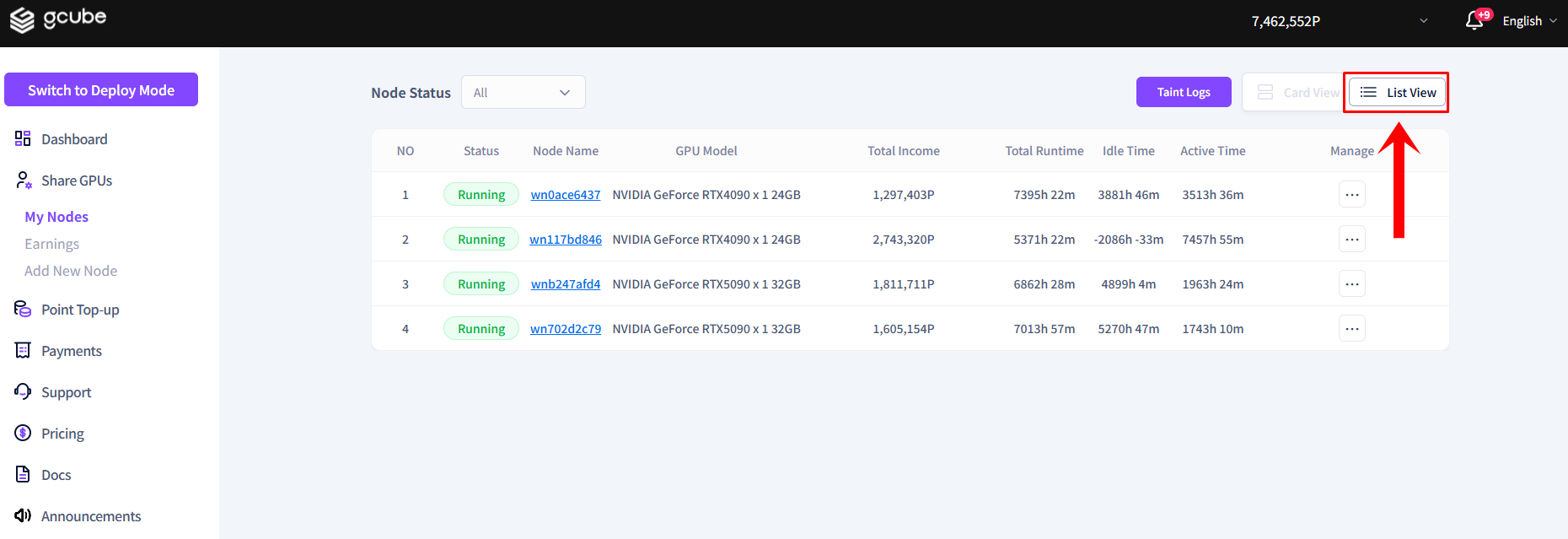
Click a node name to go to that node's detail page.