Deploy Workload
Deploy a registered workload to start using GPU resources.
Tip
Once deployment is complete, the service URL will be activated and you can access the workload. Deployment may take a few minutes.
How to Deploy
- Click the Deploy button for the workload you want to deploy in the workload list.
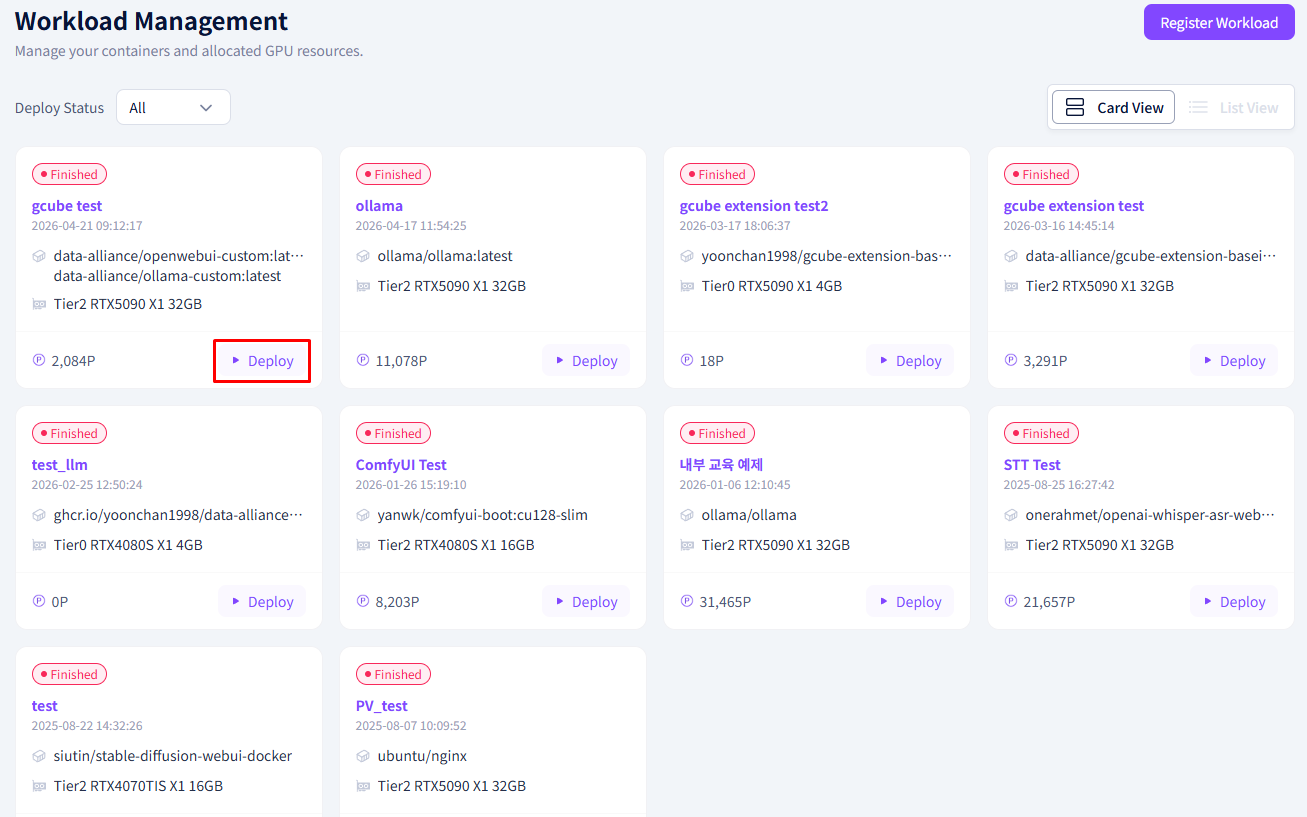
- Click the Confirm button in the confirmation popup.
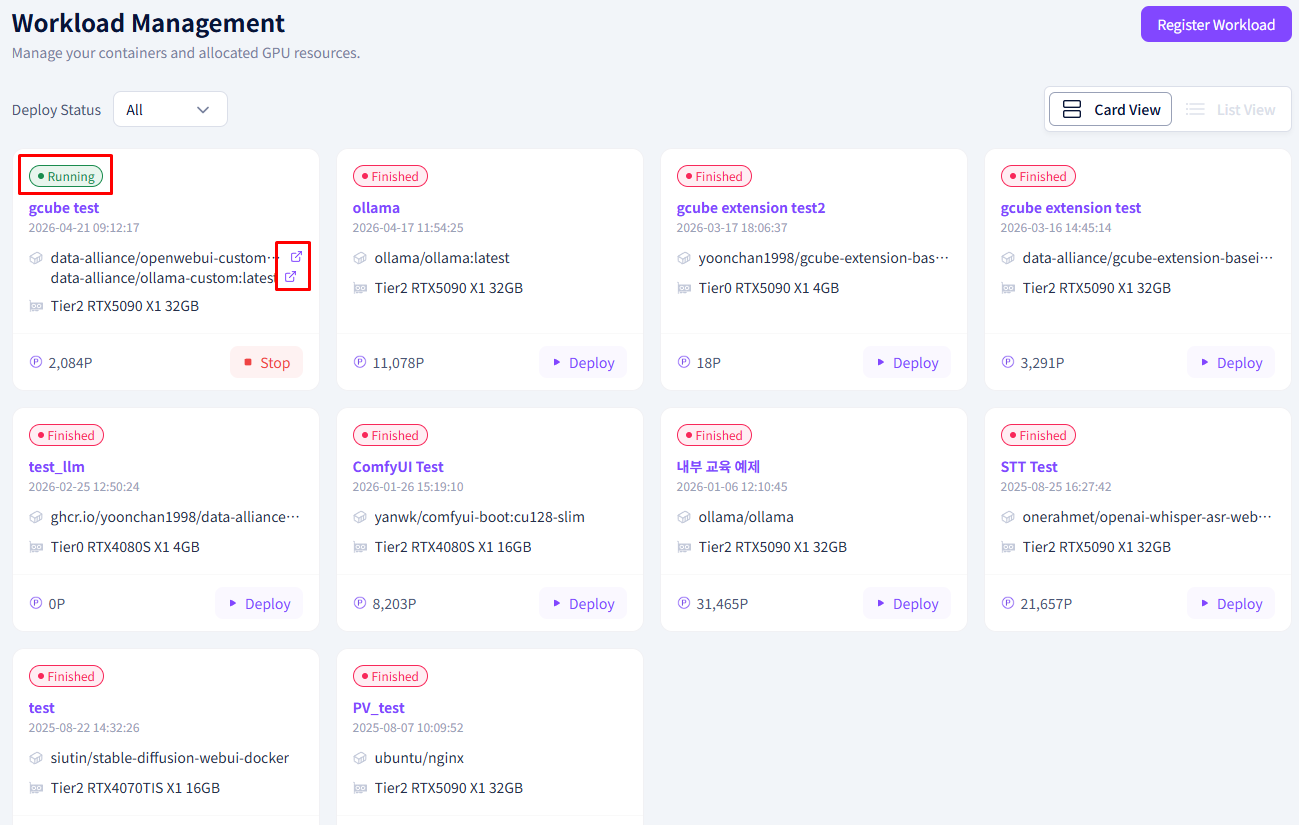
- The workload status will change from Not Deployed → Deployed and the service URL will be activated.
Warning
It may take a few minutes for the status to switch to Deployed. Please wait until the status changes.
Deployment Status Types
| Status | Description |
|---|---|
| Not Deployed | Registered but not yet running |
| Deploying | Preparing after the deploy command |
| Deployed | Running normally, service URL accessible |
| Stopped | Deployment has been stopped |